
Download Advanced RSS Mixer Personal – RSS feed aggregator, content merging, automated feed updates, feed filtering, RSS integration
Overview
Advanced RSS Mixer Personal is a focused productivity tool designed to streamline the management of multiple RSS feeds. Its primary purpose is to aggregate content from various sources into a unified stream, eliminating the need to check each feed individually. This makes it particularly useful for users who follow numerous blogs, news outlets, or content platforms and want a centralized hub for their digital reading. The app solves the common problem of information overload by automating the collection, merging, and filtering of new content, allowing users to stay informed without manual effort.
Targeted at tech-savvy individuals, content curators, and professionals who rely on timely updates from multiple sources, the application is especially valuable for those managing online publications or monitoring industry trends. Developed by Thomas P. Larson, the app reflects a minimalist, no-frills approach to feed aggregation—prioritizing functionality over flashy design. Although the developer did not provide additional technical details about the app’s architecture or background, its longevity since its release in 2012 suggests a stable and reliable core functionality.
Real-world use cases include journalists compiling updates from multiple news sources, educators gathering teaching materials, or hobbyists tracking niche blogs. In the broader app ecosystem, Advanced RSS Mixer Personal occupies a niche role as a lightweight, automated feed integrator. Despite its age, it remains relevant for users seeking a simple, hands-off solution for content aggregation without the complexity of modern platforms.
Key Features & Functionality
- Automatic Feed Updates: The app continuously monitors selected RSS feeds and downloads new content as it becomes available. This ensures that users always have access to the latest articles without needing to manually refresh or check sources.
- Seamless Feed Integration: Multiple RSS feeds can be merged into a single, unified feed. This integration simplifies content consumption by consolidating updates from different platforms into one accessible stream.
- Content Filtering: Users can filter articles by keyword or category, enabling quick identification of relevant content. This is especially helpful when managing feeds with broad or overlapping topics.
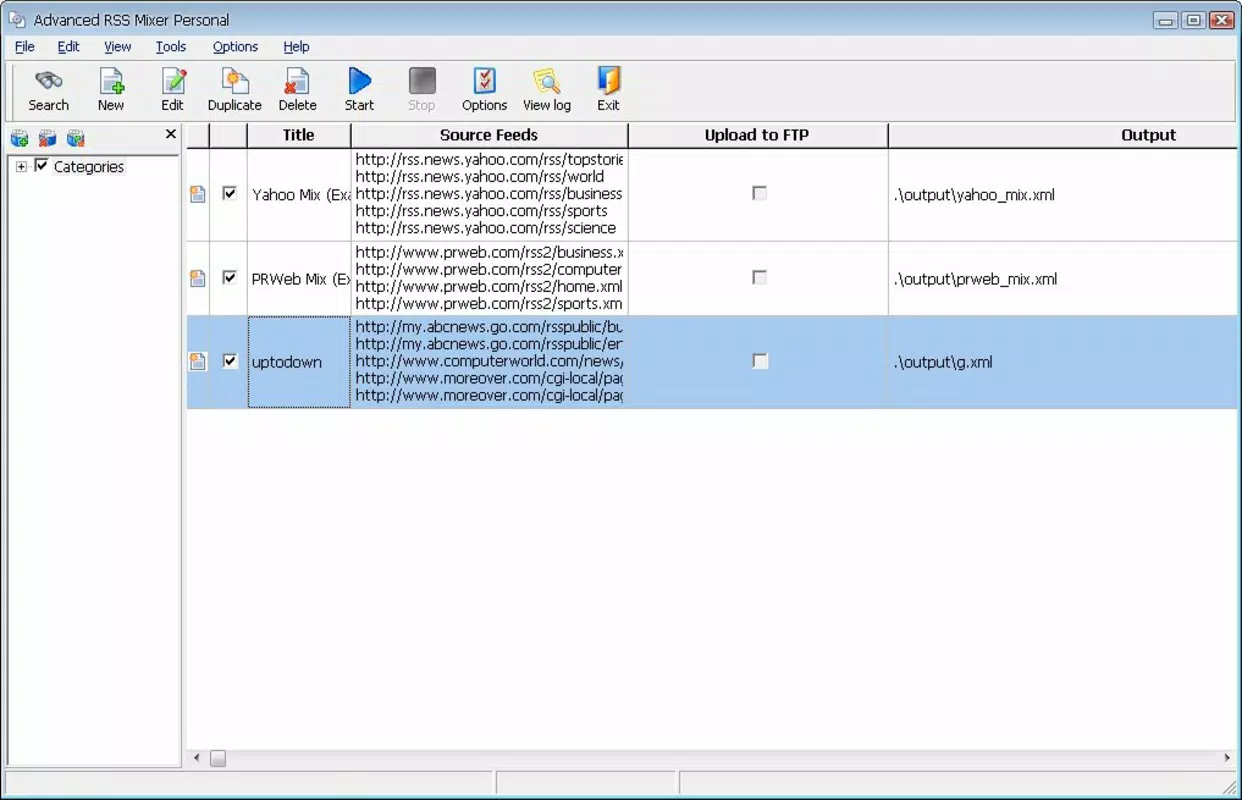
- User-Friendly Interface: The app features an intuitive layout designed for ease of navigation. Even users with minimal technical experience can configure feeds, set filters, and view aggregated content without confusion.
- Feed Limitation: The app supports a maximum of five RSS feeds at a time. While this may be sufficient for casual users, those managing larger content portfolios may find this constraint restrictive.
For example, a freelance writer might use the app to combine feeds from three news websites and two industry blogs. By setting keyword filters for terms like “AI” or “cybersecurity,” they can instantly isolate relevant updates. Similarly, a researcher could merge academic blog feeds and filter by specific topics to stay current on emerging trends.
Interface, UX & Performance
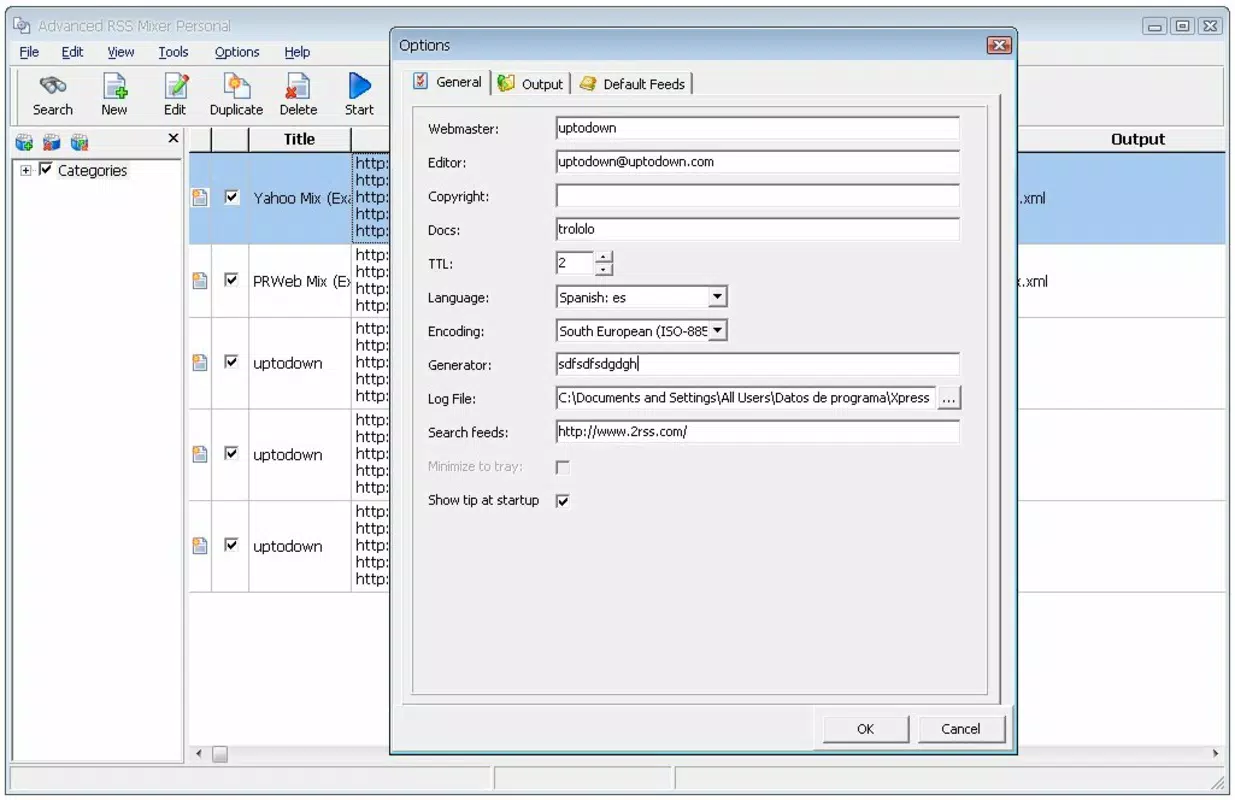
The interface of Advanced RSS Mixer Personal is designed with simplicity and clarity in mind. The layout follows a linear, task-oriented structure, guiding users through feed setup, filtering configuration, and content viewing. Navigation is straightforward, relying on basic menu systems and clearly labeled buttons, which reduces cognitive load and supports efficient use.
Visual style is minimalistic, prioritizing text readability and functional layout over graphical embellishments. This approach enhances usability, especially on older devices or screens with lower resolution. The app does not appear to rely on heavy animations or dynamic elements, contributing to a stable and predictable user experience.
Although the developer did not list formal performance metrics, the app’s small file size of 1.4 MB suggests it is optimized for low-resource environments. It is likely to run smoothly on a wide range of Android devices, including older models. Responsiveness appears consistent, with minimal lag during feed updates and filtering operations. Stability is further supported by the app’s long-standing presence in the ecosystem since its 2012 release.
Platform Compatibility & Technical Requirements
Advanced RSS Mixer Personal is available exclusively on the Android platform. It requires Android as the operating system, though specific version requirements were not listed by the developer. The app’s file size is 1.4 MB, indicating a lightweight footprint that minimizes storage usage and download time.
Given its release date in 2012, the app likely supports older Android versions, but compatibility with newer systems has not been confirmed. The developer did not specify minimum OS requirements, so users should exercise caution when installing on recent Android releases. For optimal performance, it is recommended to use the app on devices with stable internet connectivity and sufficient background processing capabilities.
Pros and Cons
Pros
- Automated feed updates reduce manual effort and ensure real-time content access.
- Seamless merging of multiple RSS feeds into a single stream improves content accessibility.
- Keyword and category filtering helps users quickly locate relevant articles.
- Simple, intuitive interface suitable for users of all experience levels.
- Free to download and use with no in-app purchases or subscriptions.
Cons
- Supports only five RSS feeds at a time, which may limit scalability for power users.
- Compatibility with modern Android versions has not been confirmed.
- No official update history or changelog provided by the developer.
- Minimal visual design may not appeal to users seeking a modern aesthetic.
- Developer has not disclosed technical specifications or performance benchmarks.
FAQ
Is Advanced RSS Mixer Personal free to use?
Yes, the app is available at no cost. There are no in-app purchases or subscription fees associated with its use.
Can I use Advanced RSS Mixer Personal on iOS devices?
Currently, the app is only available for Android. There is no official iOS version released by the developer.
How many RSS feeds can I combine at once?
The app allows users to merge up to five RSS feeds simultaneously. This limit may affect users managing larger content portfolios.
Does the app require internet access to function?
Yes, a stable internet connection is necessary for automatic feed updates, content merging, and filtering operations.
Is the app safe to download and install?
As a free app from a known developer, Thomas P. Larson, and available through standard Android channels, it is considered secure. However, users should always download from trusted sources to avoid tampered versions.
Final Thoughts
Advanced RSS Mixer Personal remains a reliable solution for users seeking a no-nonsense approach to RSS feed aggregation. Its automation, filtering, and integration features deliver tangible value for individuals managing multiple content sources. While its five-feed limit and lack of recent updates may deter some, its simplicity, low resource usage, and free access make it a compelling choice for casual and intermediate users.
Those who prioritize efficiency, minimalism, and hands-off content management will find the app particularly beneficial. For professionals, researchers, or content enthusiasts who want a lightweight tool to consolidate updates without complexity, Advanced RSS Mixer Personal offers a practical and enduring solution.
Download Advanced RSS Mixer Personal now


